Booking link for your website
Every form has its own link, which you can put behind a “Book now” button or in your website menu.

Your customers book a transfer or a vehicle on your own website, in Greek or English, and the booking goes straight into your Ridebly calendar, with no phone calls and no platform commission.
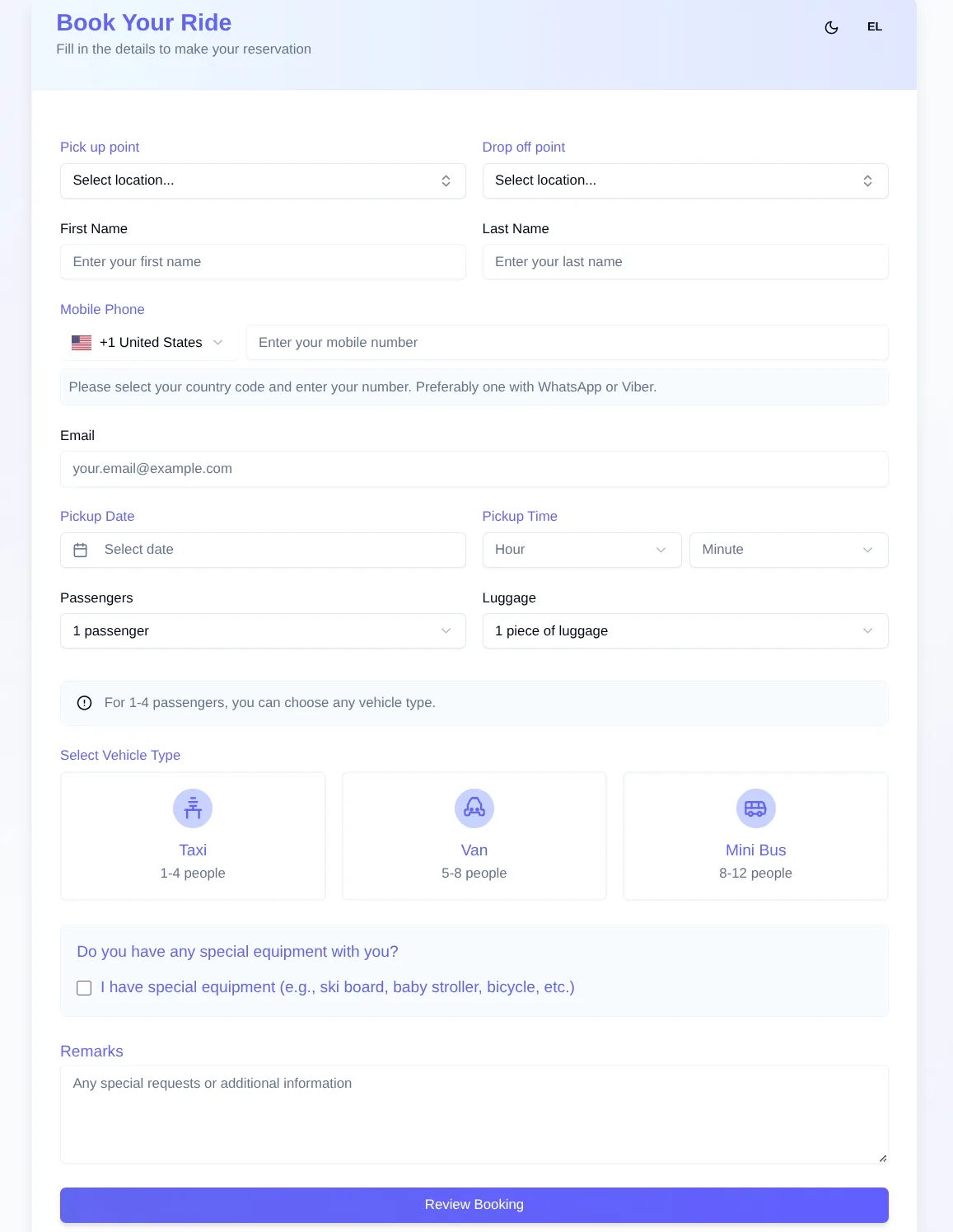
For airport transfers and transfers from ports and hotels, by taxi, van or minibus. Part of the tourist transport software.
For addresses outside your locations, the booking arrives as a request that you confirm. If you also run a shuttle with scheduled departures, customers book a seat from the same form.
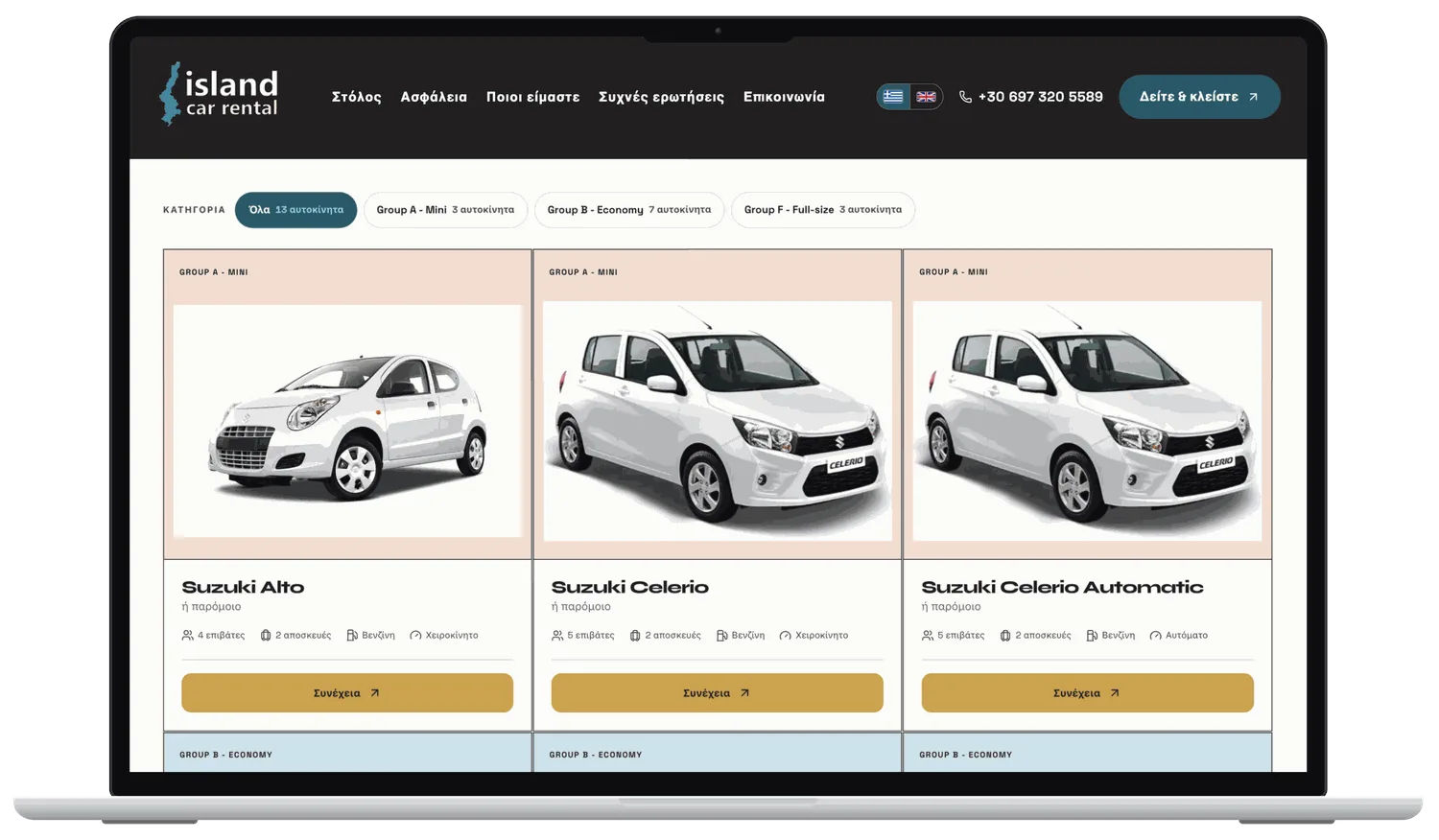
Customers see the vehicles available for their dates and complete the booking in five steps. Included in every plan of the car rental software.
From the booking button on your website, a QR code at a hotel, or a link you sent them.
In Greek or English, with the routes, vehicles and prices you have set.
They pay by card, choose to pay later, or send a request that you confirm.
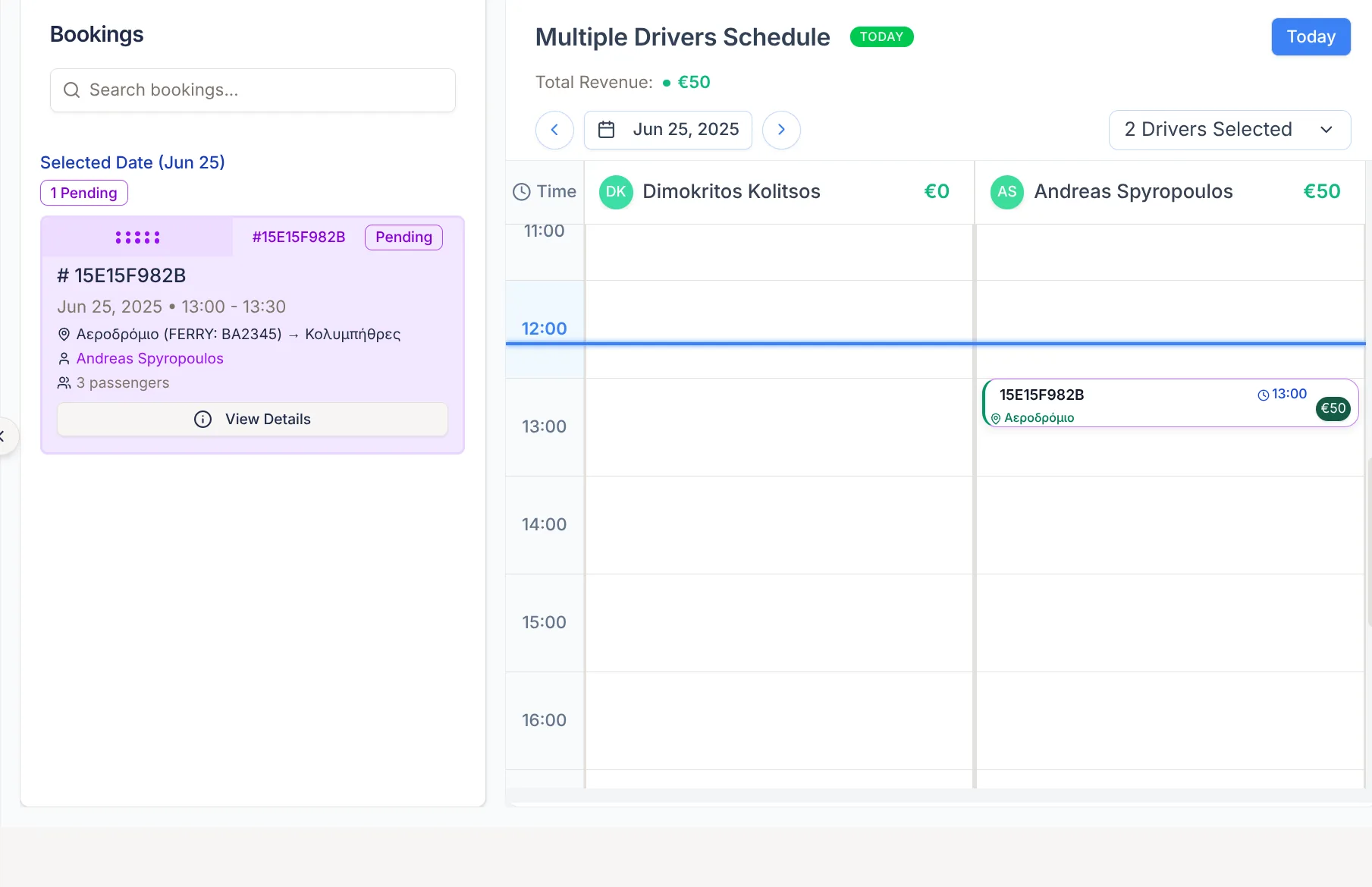
The customer gets a confirmation email, and you get an email and a notification on your phone.
The booking appears instantly in the admin panel with the customer's details, the route and the amount. From there you assign it to a vehicle and driver, as we describe in how Ridebly works.
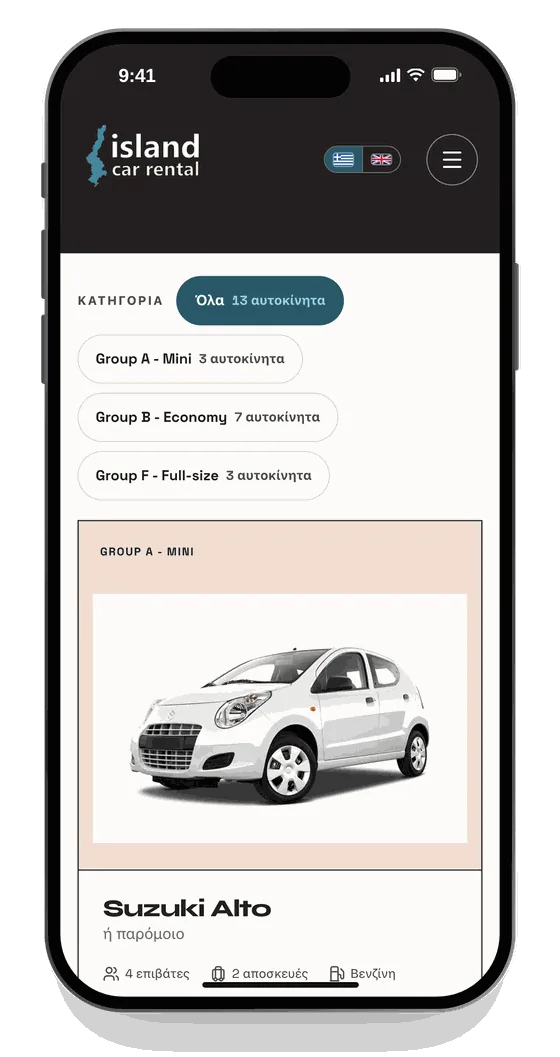
The form opens in the language of the visitor's browser, and customers can switch language with a single tap. Local customers and tourists book through the same form.
You don't need to change your website. The form is hosted by Ridebly and you connect it in whatever way suits you.
Every form has its own link, which you can put behind a “Book now” button or in your website menu.
For transfers, the link can open with the pickup and destination already filled in, for example from the page for each route on your website.
Create a form for each hotel or agency that sends you customers, so you know where every booking came from.
Print the form's QR code for receptions, info points and vehicles. Customers book from their phone.
For car rental, the form is embedded in your page with a script, on the domains you list in your settings.
For car rental, it is included free in every plan. For tourist transport, it is an add-on (+€30). No commission per booking.
See full pricingGreek and English. The form opens in the language of the customer's browser and the customer can switch language with one tap.
For transfers, the customer pays the full amount or a deposit by card through Viva or Nexi, or pays the driver. For car rental, they pay the full amount online or pay when they pick up the vehicle. You can also accept every booking as a request, without payment, and confirm it yourself.
No. Each form has its own link and QR code, which you can share on social media, by email or with partner hotels. If you have a website, you put the link behind a booking button.
The customer gets a confirmation email, and you get an email and a notification on your phone. The booking appears straight away in the Ridebly calendar.